

Three.js Minigames
three.js multiplayer with matchmaking: five browser minigames where matchmaking starts one authoritative node.js server per match.
Learn how to create three.js multiplayer games with matchmaking.
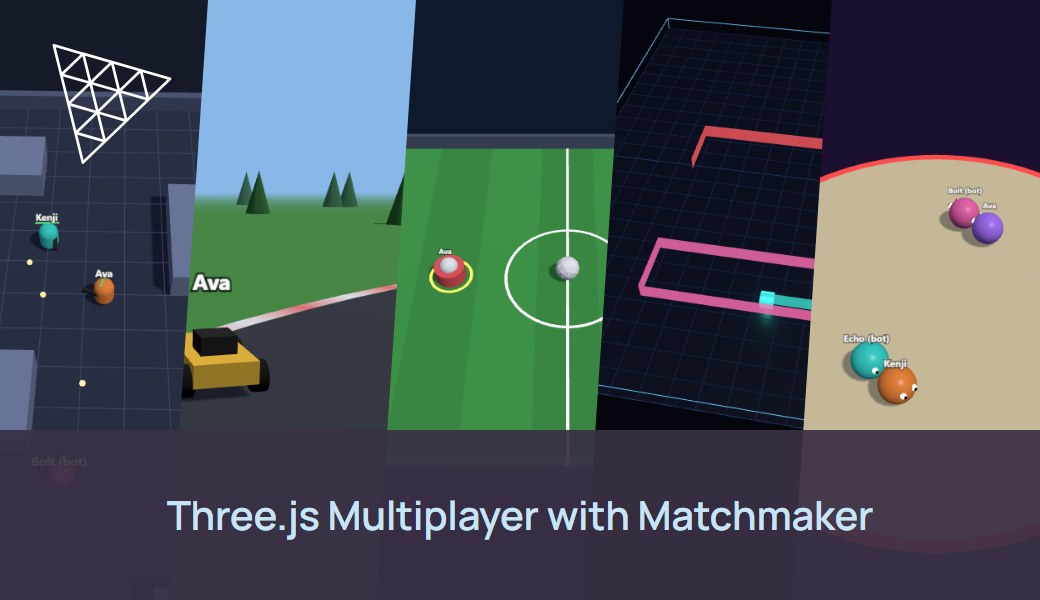
This sample includes five small browser games, one per genre, built with three.js and plain node.js WebSocket servers. Players click Find match in the page, matchmaker groups them and starts a dedicated server near them, to connect and play. When the match is over, the server stops itself.
This sample includes 5x minigames:
Blaster Arena: top-down free for all, first to 10 eliminations. 2-8 players, bots fill to 3 total.
Kart Rally: racing, first to 3 laps. 1-8 players.
Rocket Soccer: sports, 1v1 or 2v2 teams. 2-4 players total.
Light Cycles: arcade, last man standing. 2-6 players, bots fill to 4 total.
Sumo Push: party game, king of the hill. 2-8 players, bots fill to 4 total.
This sample shows:
Matchmaking from the browser with the Edgegap JavaScript SDK (
@edgegap/sdk): find a match, cancel, and retry on rate limits, with one matchmaker and a profile per game, including a 2-team profile.Authoritative servers: the page only sends inputs and draws the state it receives, so players can't change the rules from the browser.
One server per match, reached over
wss://thanks to TLS Upgrade. It reads its match details with the SDK, and stops its own deployment when the match ends, when everyone leaves, or when nobody joins.One image for five games: one app version per game, with a
GAMEenvironment variable choosing the server.No build step: Three.js and the SDK's browser build load from a CDN through an import map, so the pages are static files you can host anywhere.
✔️ Preparation
Before we start, you will need:
☑️ Try the games locally first:
This starts the five game servers on ports 7771 to 7775 and serves the pages at http://localhost:8080. Pick a game, click Local server, and open a second tab to play against yourself. npm test plays a full match of every game with two headless players.
⚡ Deploy and Connect
1. Build the Server Image
☑️ To get started, you'll need to create a free account with Edgegap. No credit card required.
☑️ Find your Container Registry project name and credentials.
☑️ Sign in to Edgegap's Container Registry with Docker, using your registry project name, username and token:
☑️ Increase your tag value, build, and push the image containing the game server:
✅ You may now proceed to the next step.
2. Create the App Versions
☑️ Create an application named threejs-minigames, and one version per game: blaster-v1, kart-v1, soccer-v1, cycles-v1 and sumo-v1.
☑️ Set each app version:
Image:
registry.edgegap.com/<project>/threejs-minigames, tag<tag>,Registry credentials: your Container Registry username and token, so Edgegap can pull the image,
Resources: 0.25 vCPU and 512 MB memory,
Port:
7777, namegameport, protocol WS, with TLS Upgrade enabled,Environment variable:
GAMEset toblaster,kart,soccer,cyclesorsumo,Max duration: 30 minutes, as a safety net: servers stop themselves.
Optional environment variables, on any version:
WAIT_SECONDS- start this long after the first player joins, even if matched players are missing (default15),MATCH_SECONDS- time limit for the match (default per game),FIRST_JOIN_TIMEOUT_S- seconds before a server nobody joined stops itself (default120),EMPTY_TIMEOUT_S- seconds before a server everyone left stops itself (default30),REQUIRE_TICKET-1refuses players whose matchmaker ticket isn't part of this match.
✅ You may now proceed to the next step.
3. Test One Server Directly
☑️ Start a server near you with the sample's deploy script. Your Edgegap API token stays on your machine:
The script prints wss://<request_id>.pr.edgegap.net:<port>.
☑️ Open http://localhost:8080/games/sumo/?server=wss://... in two browser tabs and play. When the match ends, the server stops its own deployment.
🙌 Congratulations on your first Deployment on Edgegap!
4. Create the Matchmaker
☑️ Open the Matchmaker page in the dashboard, click Create, and upload edgegap/matchmaker-config.json from the sample.
The config has one profile per game, each pointing at that game's app version:
blaster,kartandsumo: 2 to 8 players,cycles: 2 to 6. After 20 seconds, a player waiting alone gets a server, and bots fill the empty seats.soccer:team_count: 2with 1 or 2 players per team, so 2v2 when four players are waiting, otherwise 1v1. Each ticket gets ateam_id, and the server puts each player on their team.
☑️ Browser games call the matchmaker from the page, so add every origin that serves your pages to allowed_cors_origins. The config allows http://localhost:8080.
☑️ Click Create and Start. When the matchmaker shows Online, copy its API URL and Auth Token.
✅ You may now proceed to the next step.
5. Find a Match
☑️ Put the matchmaker's API URL and Auth Token in client/config.js (or a git-ignored client/config.local.js), or add ?mm=<API URL>&token=<Auth Token> to the page URL.
☑️ Run npm run web and open the same game in two tabs. Click Find match in both within 20 seconds.
Each tab uses the SDK's GroupAgent to:
create a matchmaking group of one player for the game's profile, ready at once,
wait with
nextAssignment()until the group isHOST_ASSIGNED, which carries the server's address andgameport,connect to
getConnectionUrl(assignment, "gameport"), which giveswss://<fqdn>:<port>, and send its ticket ID, so the server knows which team the player is on.
A new deployment can refuse connections for a few seconds after HOST_ASSIGNED, so the client retries. The SDK retries rate-limited (429) and failed requests on its own, and Cancel leaves the group with stopMatchmaking().
🙌 Both players are now in the same match, on a server placed near them.
☑️ To test the whole path without a browser, run the end-to-end test. It queues several headless players for each game, checks they land on the same deployment and play a full match, then waits for the deployment to stop itself:
📦 Ship Your Game
Host the pages anywhere: they are static files with no build step (
index.html,client/,games/). Add each origin toallowed_cors_origins.Turn
inspectoff in the matchmaker config before launch.Set
REQUIRE_TICKET=1on the app versions to keep out players the matchmaker didn't send.To ship a new server build, push a new image tag and point each app version at it. New matches use it, and running ones keep the old build.
To upgrade the SDK, change its version in
package.jsonand in each game page's import map, and update the import map's integrity hash.
Last updated
Was this helpful?